Материал: Homework_1_(Electrostatics)_What_to_do
-The boundary conditions on both symmetry axes. Please note that the boundary conditions on the X-axis and on the Y-axis are not the same. Please think carefully about them.
2.5.CONTROL THE MESH DENSITY
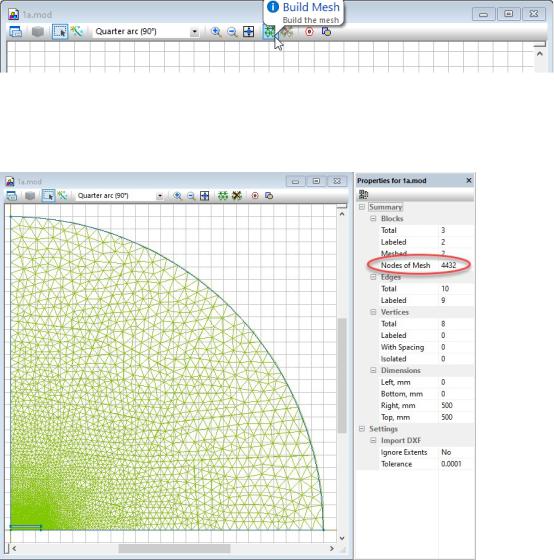
Save again your work and try to build a finite element mesh. The very initial mesh is generated fully automatically by clicking the Build Mesh button on the model toolbar.
The quality of the initial non-controlled mesh should be estimated later. For the first approach it is good enough to get a field solution and validate correctness of the model.
Later, performing the investigation of the dependency of maximal electric field EMAX on the mesh spacing you will use the initial mesh as a starting point and gradually decrease the spacing, increasing the number of mesh nodes.
How to manually control the mesh density:
11
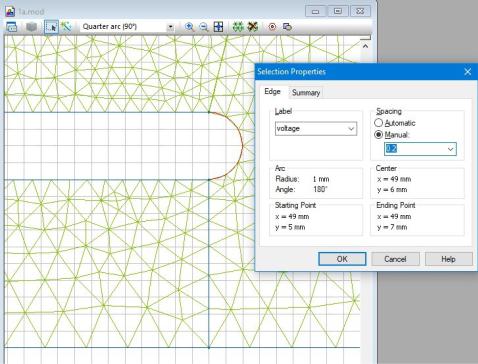
1.Select the object of interest – a block(s), an edge(s) or a vertex (es).
2.Activate the property dialog (Alt+Enter or double click to selected shapes)
3.In the dialog appears switch spacing mode from Automatic to Manual and set the size you want into the input field below.
4.Alternatively, you can switch to Manual mode and enter the spacing value in the Property window that in normally located on the left side below the problem window(s).
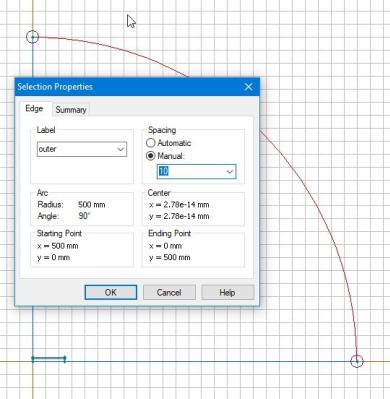
When you set some small spacing in the area of interest, do not forget to assign some much bigger spacing to the outer boundary. It is absolutely necessary to avoid over-dense mesh:
12
2.6.CHANGE THE RADIUS OF THE ARTIFICIAL OUTER BOUNDARY
The artificial outer boundary is introduced to make the theoretically infinite model bounded. This is needed because QuickField cannot solve an unbounded problem. The requirements for the shape and size of the artificial boundary is to locate far enough from the area in interest to not affect significantly the calculation results. What is calculation results and what is the exact meaning of the word “significantly” very depends on the problem. In this work we assume that the result is maximal value of electric field EMAX, and significantly means more than 1%.
We introduce some reasonable value of the radius of the outer boundary, say ten times more as the half-width of the capacitor, and then have to prove that this choice meets the requirements. This is the reason for investigation the dependence of EMAX = f(radius).
The picture below shows hot to quickly change the arc radius:
1. Go to the Model editor and select the outer arc.
13
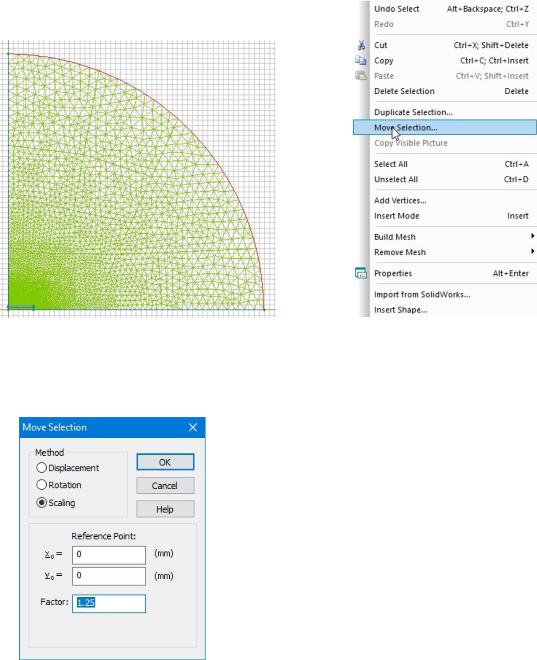
2.In the Edit menu choose Move Selection command
3.In the dialog windows appears choose Scaling and put some scaling factor S > 1
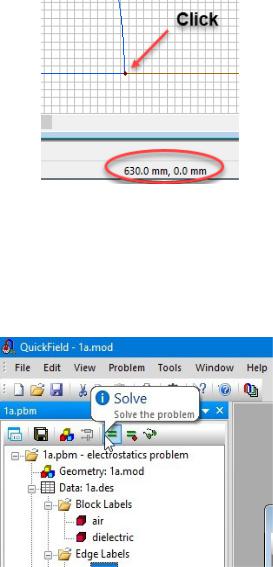
Click OK button and see the new size of the arc. You can measure its new radius by clicking any of two arc corners and watch the coordinates in the status bar (the bottom strip of the QuickField window):
14
2.7.CONTROL THE FIELD PICTURE
Now is a good time to solve your first problem with the default mesh (the mesh with non0controlled spacing). To do that simply click the Solve button on the problem toolbar:
QuickField asks you for saving all modified files, if you didn’t it before, and solves your first problem in a few seconds. The initial field picture appears:
15