Материал: Homework_1_(Electrostatics)_What_to_do
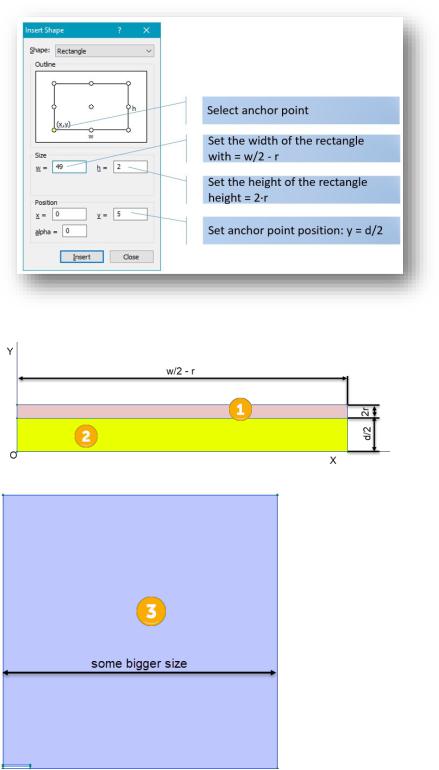
3. Insert other rectangles: one for dielectric (2)
And another one for outer region (3):
4. Make the corners rounded:
6
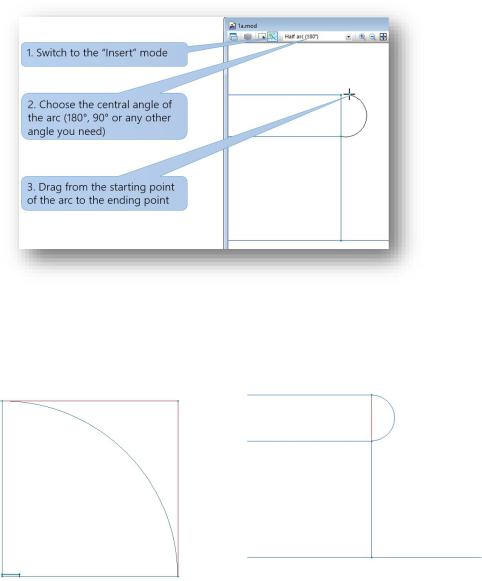
5.Delete all unnecessary lines and vertices (select by left mouse click, check that all edges and vertices you want to delete are highlighted in red color, then press Delete key)
2.3.NAME YOUR SHAPES
After saving your work it is good time to give names to your blocks and edges. The names used to assign physical data, such as material properties or boundary conditions.
To label a region (block), select it by a simple click, and go to the Properties window, either from context menu or Edit menu, or press Alt+Enter:
7
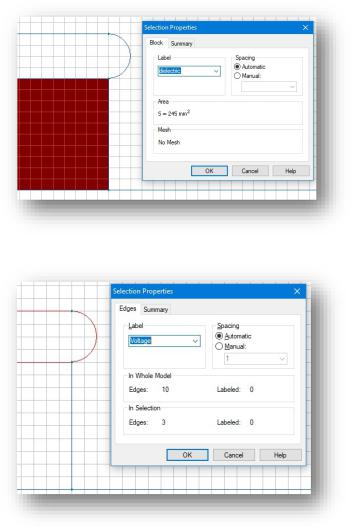
To label an edge, select it and bring the properties Window:
Please keep in mind that the text of label has no special meaning, it is just a mnemonic for you and your readers.
All the edges with boundary conditions should be names, as well as all blocks where electric field is calculated (i.e. all but the internals of metal conductor, where the E-field is identically zero).
Every name you have assigned reflects in the problem window. Your problem windows after naming may appears as following:
8
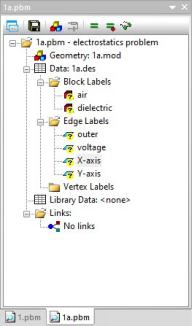
The question marks (?) near label names remember you that the physical data were not yet given.
2.4.ASSIGN MATERIAL PROPERTIES AND BOUNDARY CONDITIONS
The next step is setting up the physical data: material properties and boundary conditions. We do that by means of labels assigned in previous step.
Entering the data starts with activation of label property dialog. To do that double click on the label name in the problem window, and the property dialog appears:
9
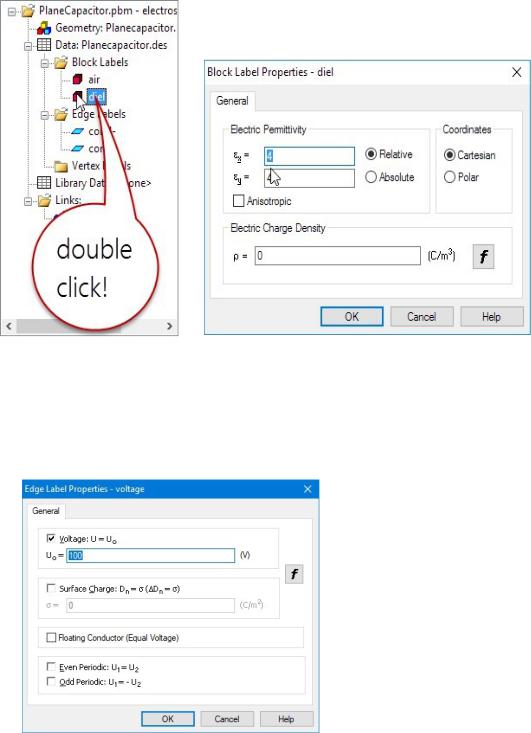
For blocks the dielectric permittivity of material have to be entered.
For edges we set up appropriate boundary condition (BC). On the picture below we set the Dirichlet boundary condition (also known as a BC of first kind or known potential) on the conductor. Please note that the conductor’s potential is two times less as the given voltage of the capacitor:
Other boundary conditions must be set includes:
-The boundary condition of vanishing field on the artificial outer boundary (it can be either zero Dirichlet BC or zero Neumann BC
10